
Software Services
Less repetitive work.
Software built around you.
Many offices have repetitive computer tasks that standard software does not handle. These tasks take time and add to operating costs. We build custom software, adapt existing applications, and integrate third-party tools to automate routine work, improve your workflow, and reduce manual effort.
Turn form responses into finished documents.
Collect information once. Automatically create branded documents and deliver Word and PDF copies by email.
Turn form submissions into finished documents automatically. This demo collects information through an intake form, adds it to a branded Google Docs template, and emails Word and PDF copies to the sender and your team through Microsoft 365. It removes the need to copy answers, export files, or share documents manually.
Open the demo form below and enter sample information to try the process. You’ll receive the finished documents by email, and our team will receive a copy. Contact us to build a similar workflow for your business.
02 / Custom applications · Office Assistant
Keep calls, client conversations and everyday office work connected.
Office Assistant brings call history, client chat, notes, requests, documents and date calculations into one workspace. Built around how your office works, it helps staff find the conversation, capture the details and take the next step.
AI call summaries & transcription
Get back to the conversation without starting from scratch.
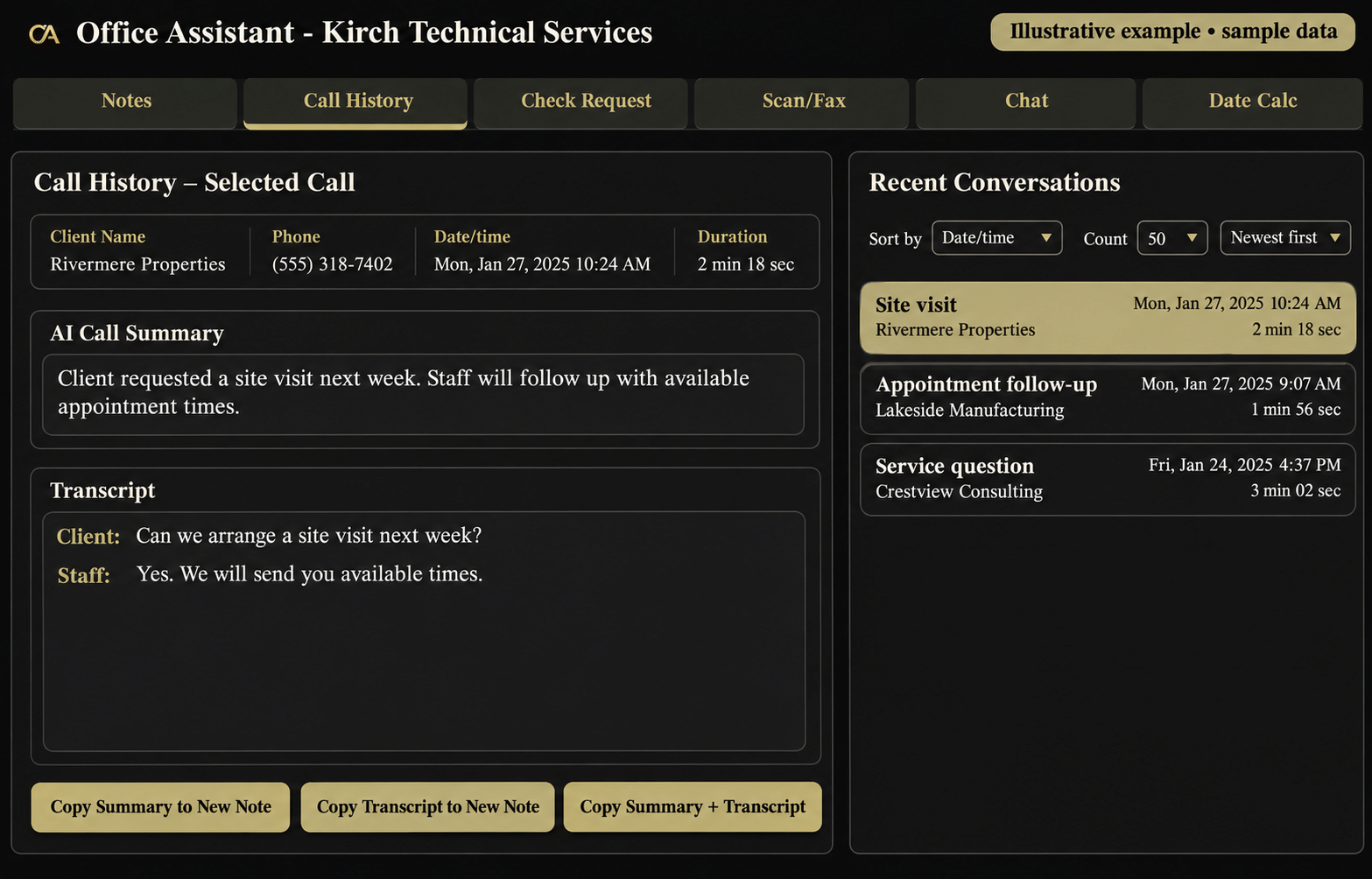
Review an AI-generated summary alongside a speaker-separated transcript in Call History. Quickly revisit what was discussed, check the original wording and copy the summary, transcript or both into a new note.
- Scan recent calls and select the conversation you need.
- Read the short summary or review the speaker-separated transcript.
- Move useful information into your notes without retyping it.
Review AI-generated text before using it as a business record. Call-source integration and setup are agreed for your office. You are responsible for any third-party API charges for transcription and AI summarization.
Client chat
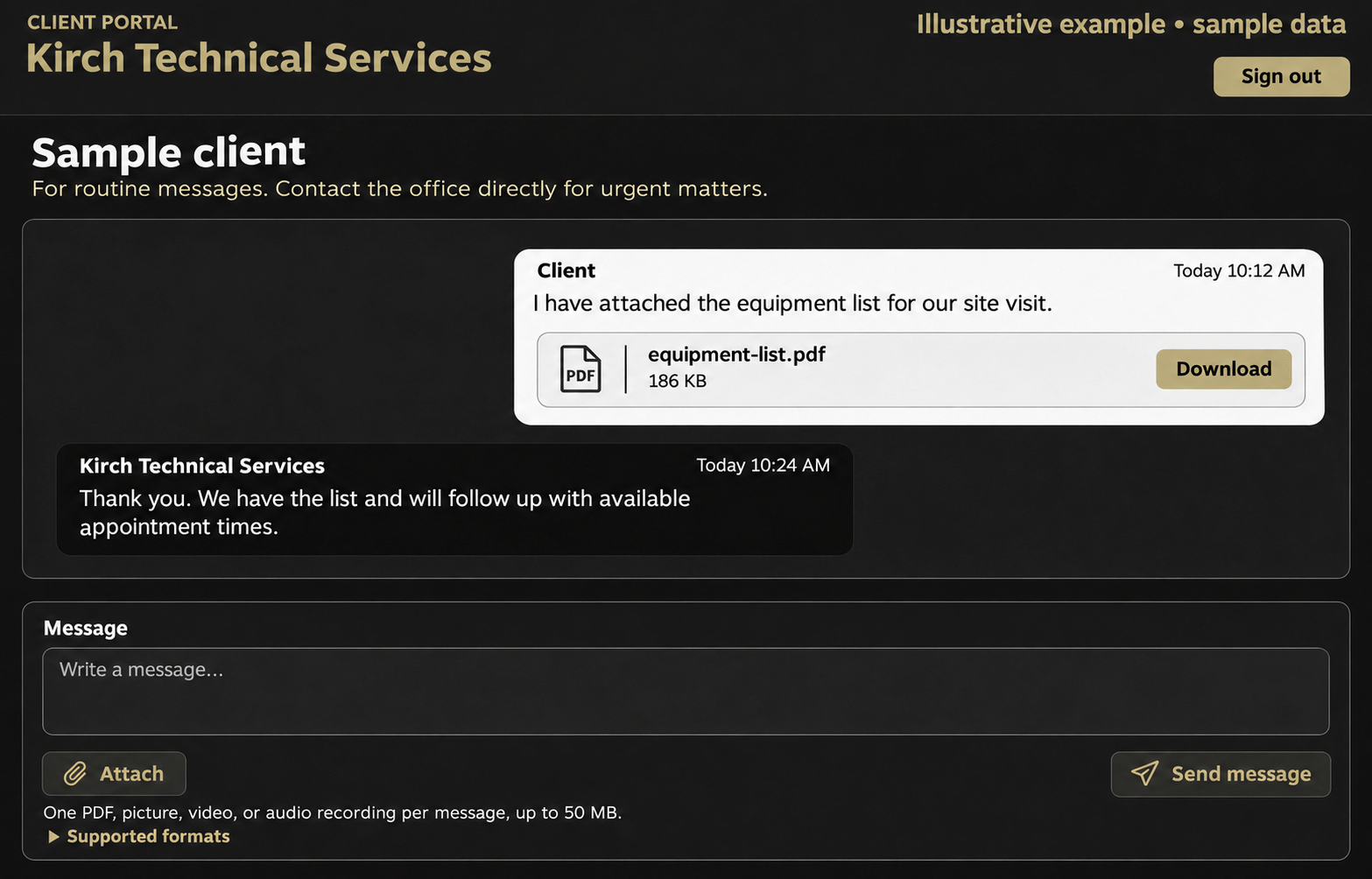
Give clients one place to follow up—and staff one place to respond.
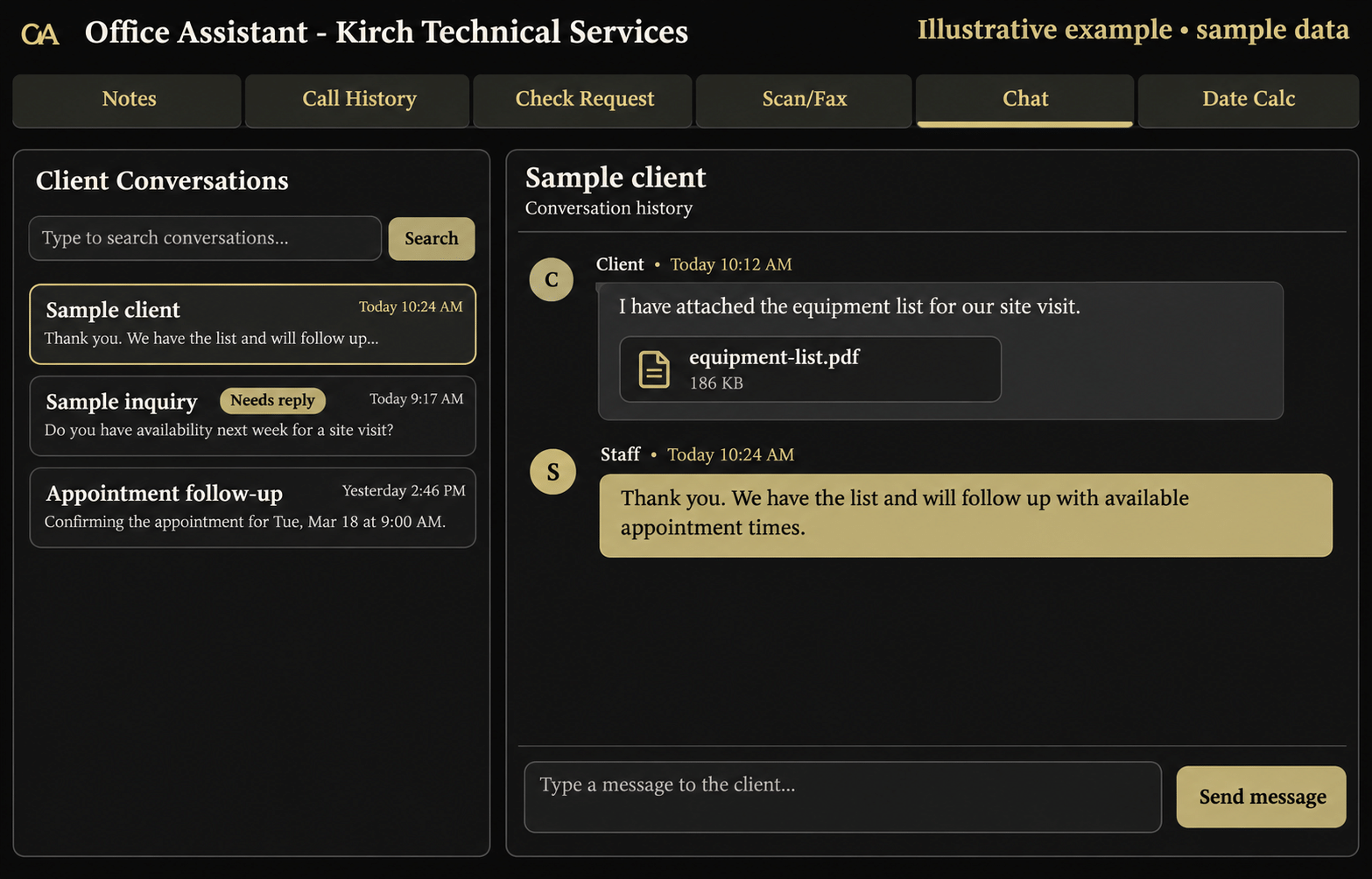
Clients sign in to a mobile-friendly web portal to send messages and attachments, with no app-store installation. Staff see client conversations in Office Assistant, with the conversation list on one side and the message history on the other.
- Keep the message history with the client’s conversation.
- See which conversations need a reply.
- Exchange documents, photos, video and audio recordings through the portal.
For routine communication. Clients should contact the office directly about urgent matters.
What clients see in the portal
The everyday office tools are still here.
Notes, check requests, Scan/Fax and Date Calc remain part of Office Assistant. These new features extend the workspace, bringing more of the conversation and follow-up into one place.
Explore the existing tools below. Select an image to view a larger version.
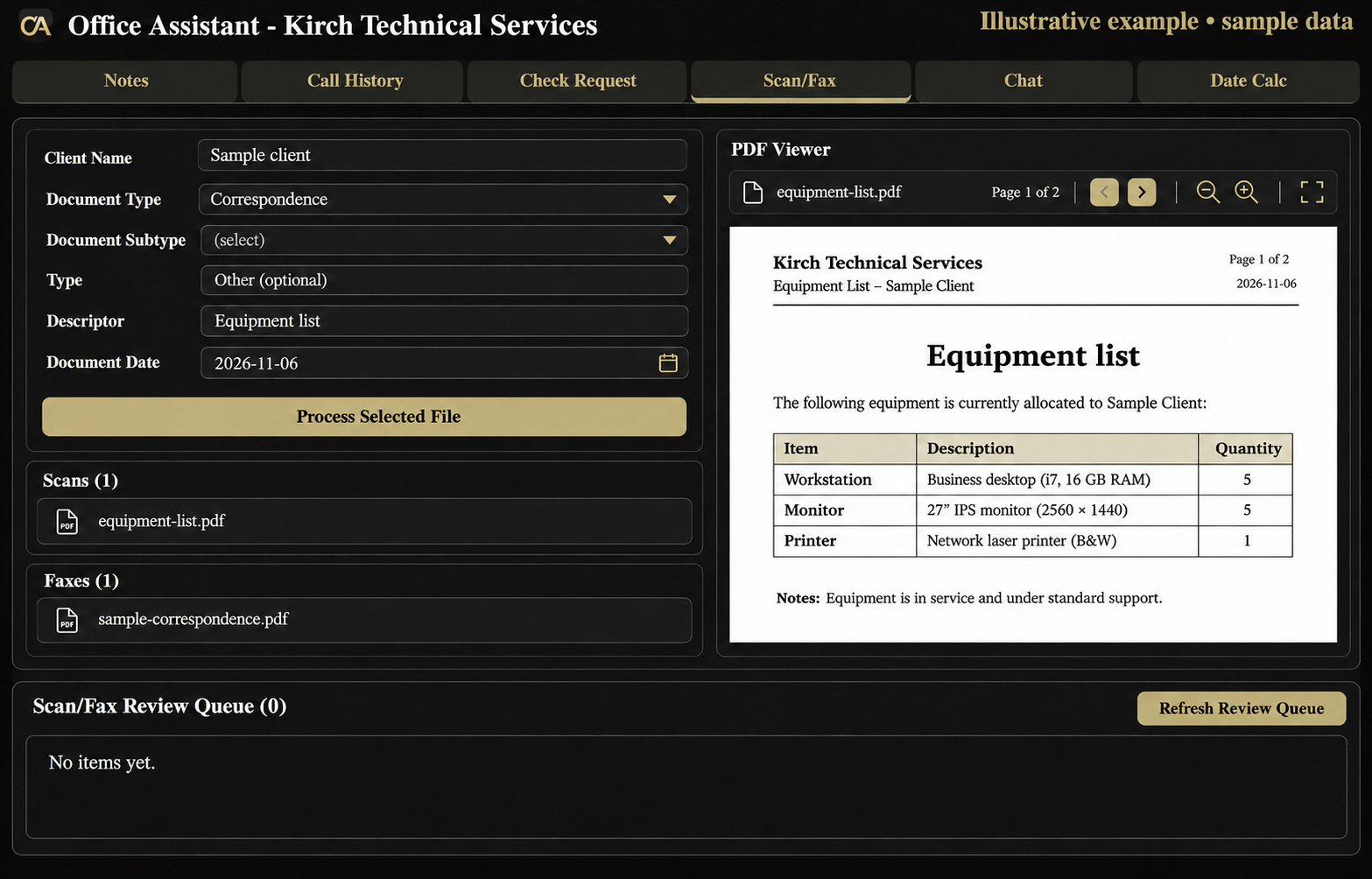
Organize incoming documents alongside a PDF preview. Illustrative example with sample data.
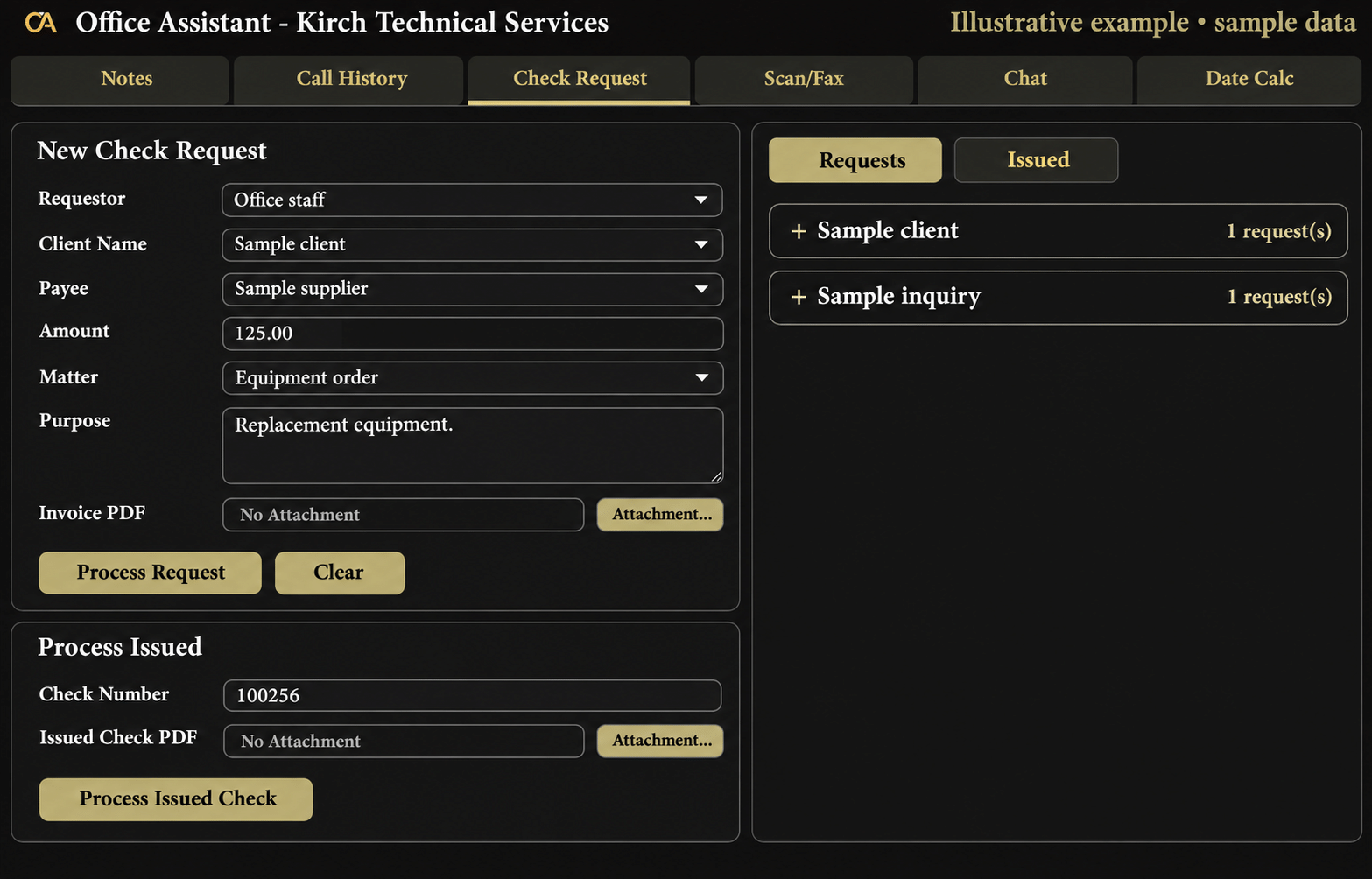
Create requests and process issued checks in one workspace. Illustrative example with sample data.
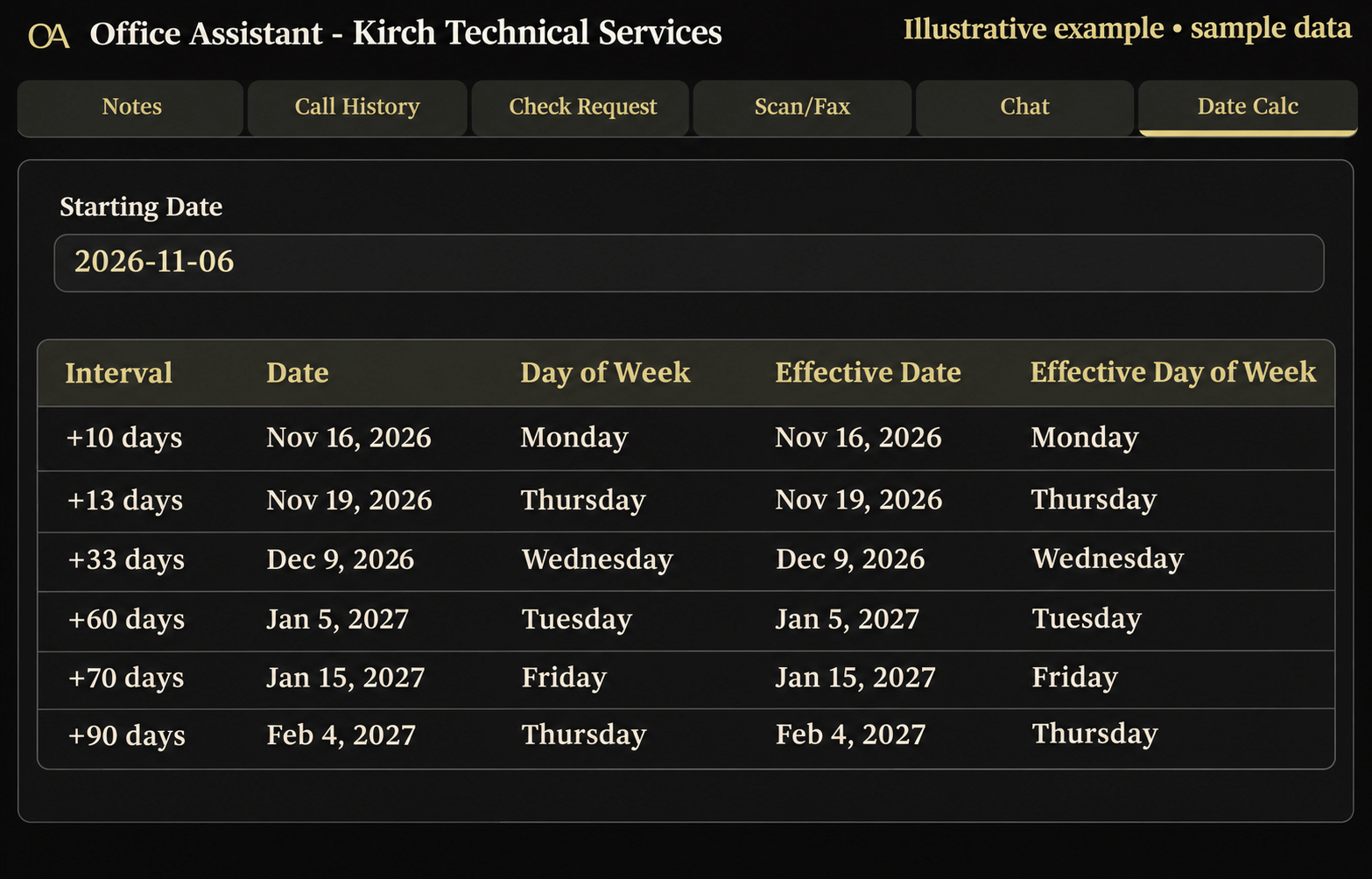
Review date intervals and effective dates. Illustrative example with sample data.
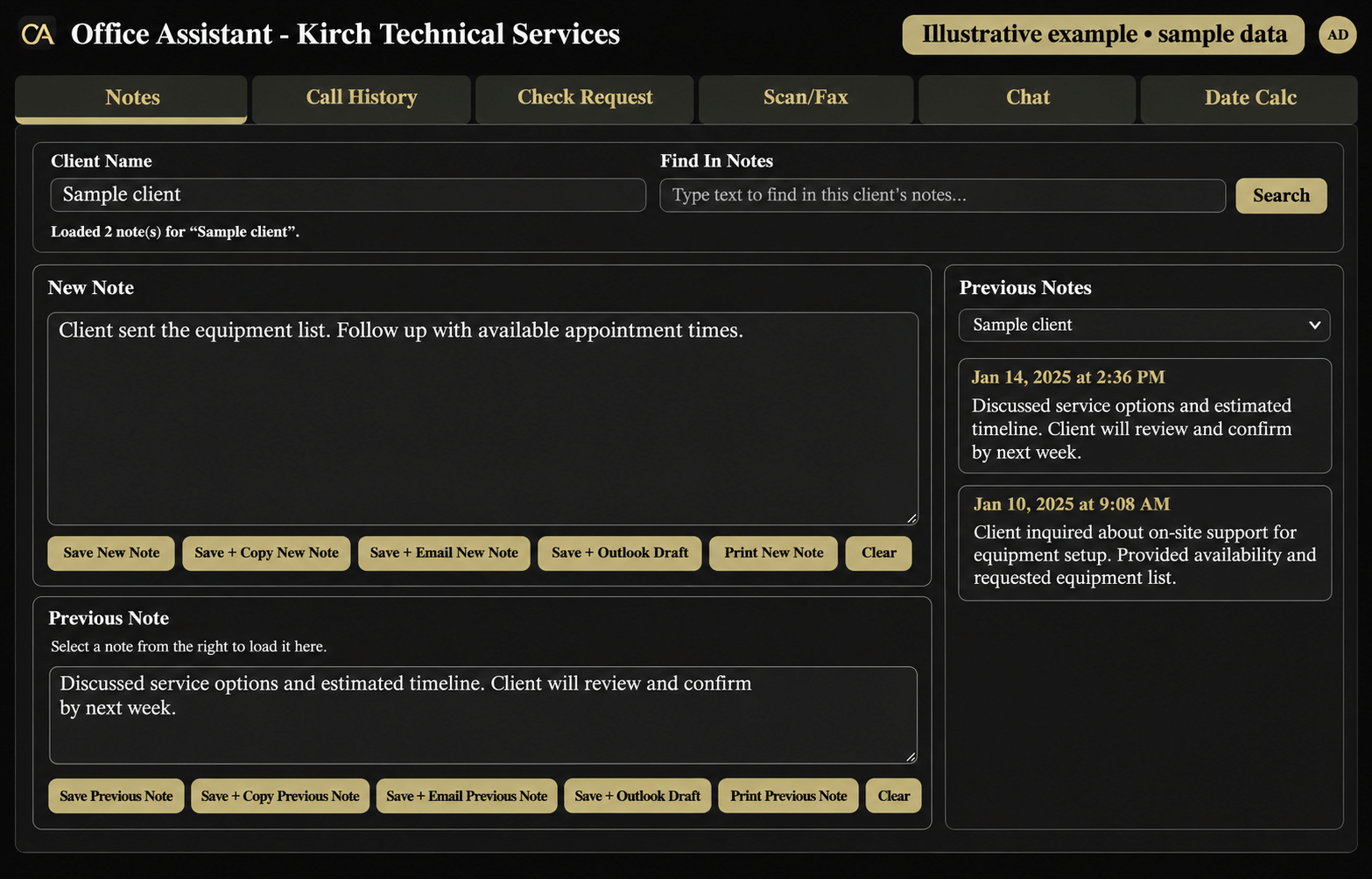
Write, find and reuse client notes. Illustrative example with sample data.
Software ownership and continued use
Your existing software stays yours. When we modify software you already own, you retain ownership of that software.
Software KTS builds from the ground up is owned by Kirch Technical Services. Your agreement explains how you may use it. If you end your KTS services and want to continue using KTS-owned software, continued use is available for a monthly usage fee; requested updates are billed by the hour. The applicable fees and scope are agreed with you.
What repetitive task is slowing your team down?
Tell us how the task works today and what you would like to improve.
Discuss Your Workflow